

Root checker utility app

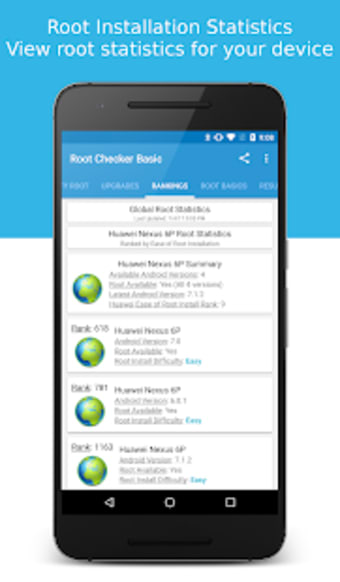
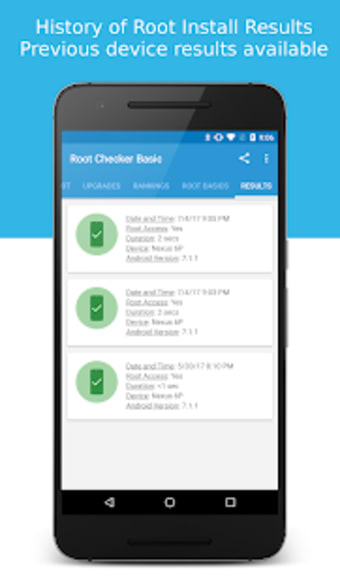
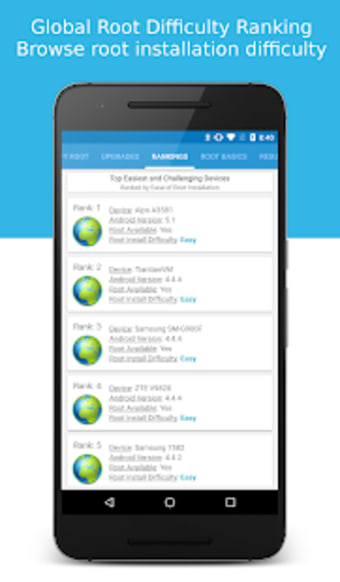
Root Checker is a free utility application from developer joeykrim. It is an Android system tool that helps users check if their devices are rooted or not. The process is quick and simple with its one-tap operation and does not require any other setup or configuration.

How do you check if your phone is rooted?

Download, install, and run Root Checker. The app will tell you if you are a super user, which is somebody who can access all of the programming code contained in a mobile device. It supports various models from different brands and manufacturers.

What is the use of a root checker?

Let's say you are having trouble installing a piece of software on your mobile device because it needs your phone to be rooted. You suspect the app itself is not faulty, so you check to see if your smartphone is rooted.

Is rooting illegal?

No, rooting is not illegal. In some cases and depending on the manufacturer, your phone's warranty will be void, but the act of rooting itself is not illegal unless you are harvesting code to sell as your own or hacking devices for nefarious purposes.

Caveats and alternatives

Sometimes, free rooting software is unreliable. It is good to have a simple and dependable app to let you know if your phone has been rooted. Having said that, Root Checker has not received updates for some time now.

Alternatively, you can also download and try out the Rooting App to check if you have root access. If you discover that your device is indeed not rooted, you can perhaps look into an app like Super Root Android. It is handy if you are manually rooting your device.

Simple yet handy

If you own an Android device and you want to know if you have root access to your system, Root Checker offers a quick and simple way of finding out. The process only takes one tap, and there are plenty of devices supported in its database. Despite the lack of recent updates, it is still worth trying out and seeing for yourself.
  • Pros

    • Can check how well you rooted your device.

    • A small program that is quick to install.
    • Handy for checking second-hand phones after purchase.
    • Additional Smartphone functions available through the app.
  • Cons

    • May not install on some already-rooted devices.
    • Does not tell you why your device is not rooted correctly.
    • Causes conflicts with other root checkers.
    • The paid upgrade features are very poorly defined and explained.
 0/3

App specs

  • License

    Free

  • Version

    6.5.3
  • Latest update

  • Platform

    Android

  • OS

    Android 9.0

  • Downloads

    224K

    Last month's downloads

    • 25K
  • Size

    10.33 MB

  • Developer

  • Download Options

    APK, Google Play

  • Filename

    com-joeykrim-rootcheck-197-64011946-e926f4a430b18c98eed9a6a5208f1cf6.apk

Program available in other languages


User reviews about Root Checker

Have you tried Root Checker? Be the first to leave your opinion!

Add review

You may also like

Alternatives to Root Checker

Explore Apps

Latest articles

Laws concerning the use of this software vary from country to country. We do not encourage or condone the use of this program if it is in violation of these laws.
Softonic

Is Root Checker safe?

100/100

Score result: Clean

This file passed a comprehensive security scan using VirusTotal technology. It is safe to download.

  • Virus free
  • Spyware free
  • Malware free
  • Verified by Security Partners

    VirusTotal logo

Scan Info

Last scan
Monday, November 27, 2023
Scan provider
VirusTotal · Full report

File Integrity

File
com-joeykrim-rootcheck-197-64011946-e926f4a430b18c98eed9a6a5208f1cf6.apk
SHA256
3bf4075f4a05a7f4df42ea9f2d7a057f8d6043601d924ae03f17624d1d8ceca6
SHA1
3fb3aed438f9fda5d4b718ba81435b301f6aa557

Softonic security commitment

Root Checker has been thoroughly scanned by our advanced security systems and verified by industry-leading partners. This file comes from the official developer and has passed all our security checks, showing no signs of viruses, malware, or spyware. For more information, visit our Security and Trust Center